AI Agent - Help marketers understand and leverage customer data @Adobe
Timeline
3 months
Role
Product Designer
Team
Student design team, worked with Adobe's designer, PM, researcher and AI engineer
Project Overview
Problem
Adobe Audience Builder helps users build a selected customer dataset, deciding who receives the campaign message. However, ❶ it is tedious to translate customer persona into data fields, and ❷ not all marketers have the data background to interpret the results of the prediction model.
Solution
Designed an AI tool that allows user to build datasets in natural language and provides model interpretation support in progressive disclosure and visualization.
-0%
time to complete the task
0.0/5
user confidence score
Jump to where you're interested in most ->
Context
Imagine you're a marketing manager at Marriott
You're sending upgrade promo emails to guests who already booked a standard room. From that group, you want to narrow down to the ones more likely to pay, based on customer data.
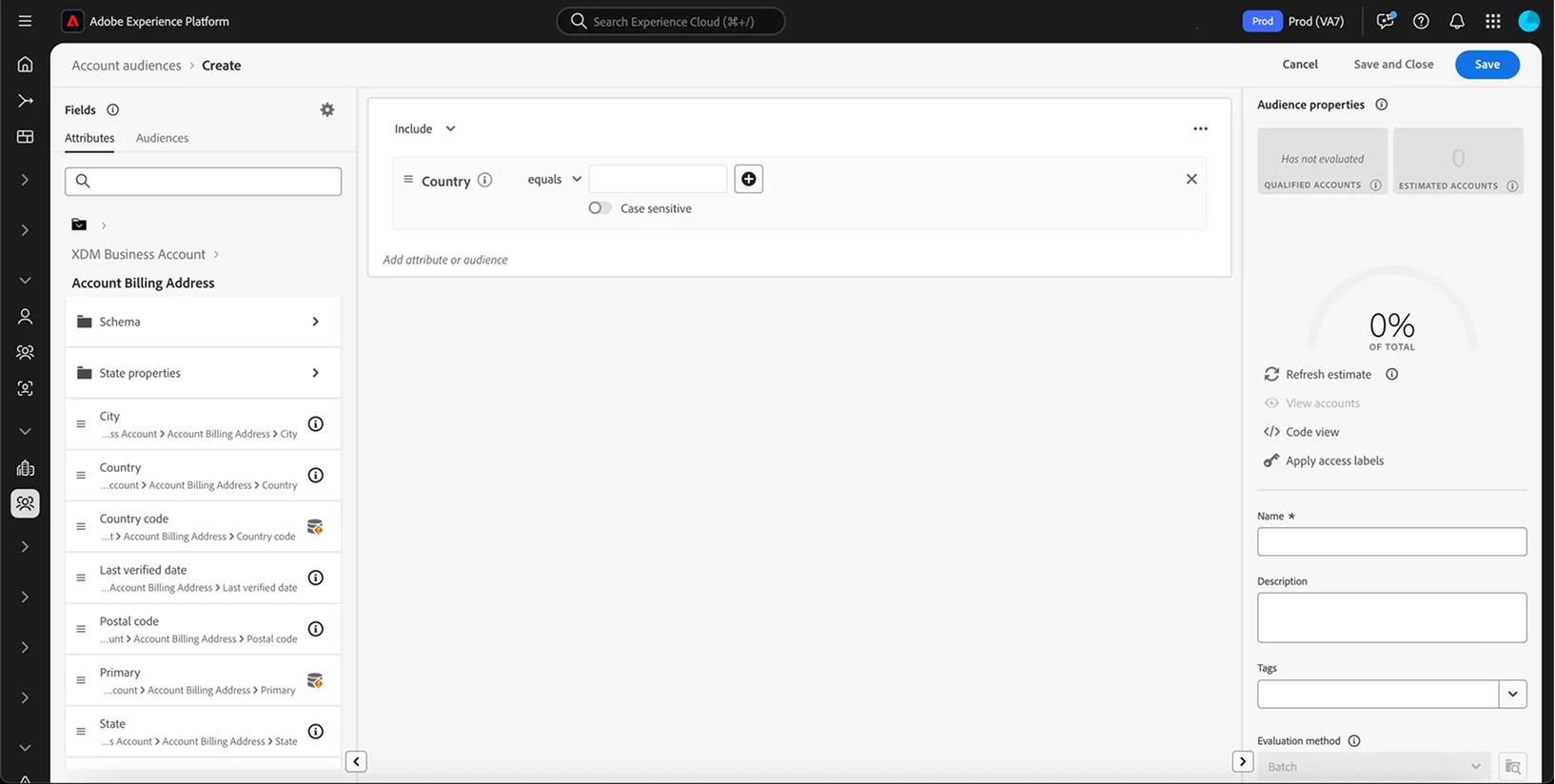
This could take you hours. First❶, you need to translate "who booked a standard room" into concrete data fields → booking dates within a certain range, booked directly through the hotel website, opted into email, and so on. You're likely to get lost in different data field names. 🫨
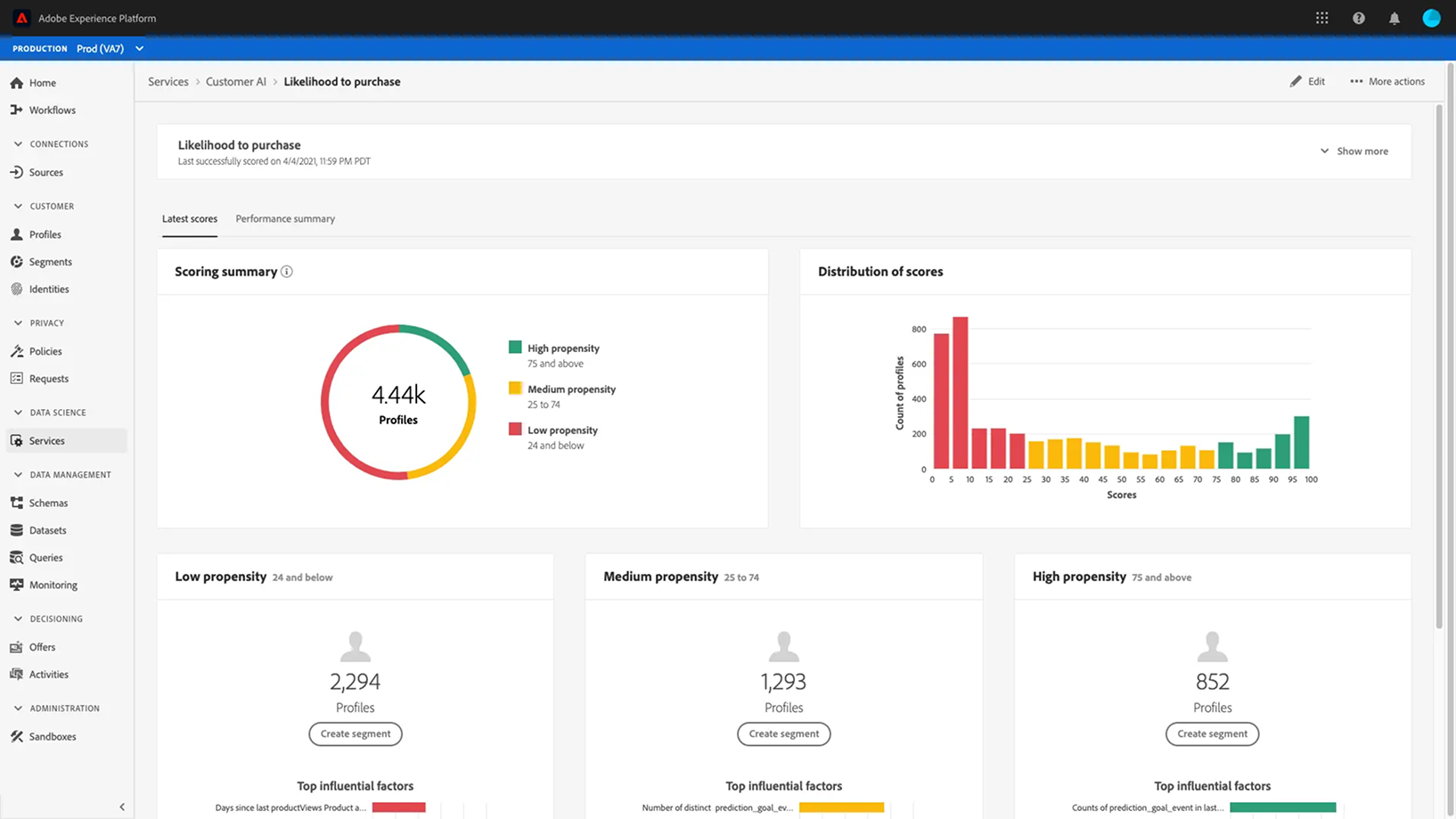
Then you run a data model that's supposed to help identify customers who are more likely to pay for the upgrade. ❷Now you're staring at visualizations packed with terminology you don't fully understand. 🤯
The Ask
Design an AI builder tool that lets users build this dataset using natural language, improving efficiency
Research
I interviewed five marketing teams from different industries and company sizes
I learned four things through interviews
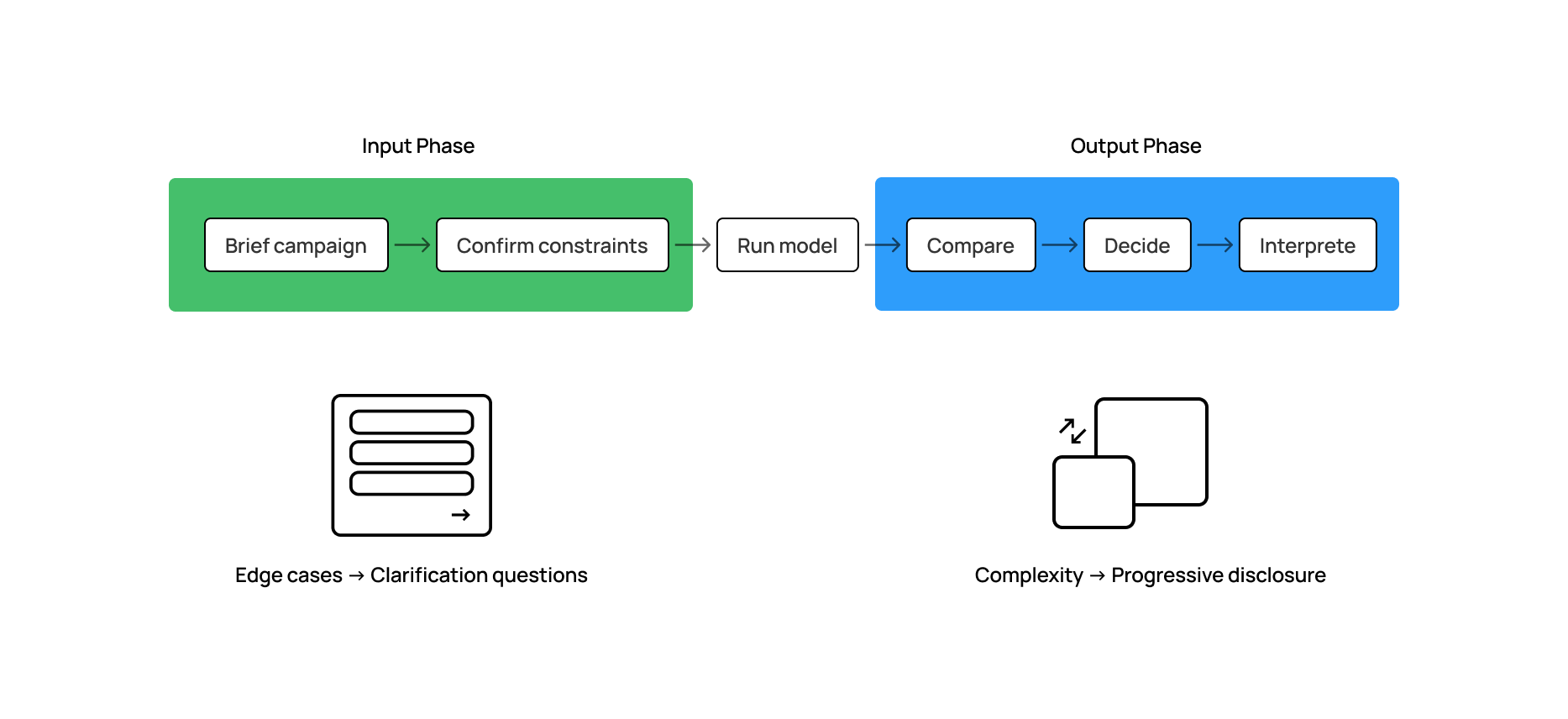
I mapped out the end-to-end workflow, and identified the key pain point to solve in each stage,
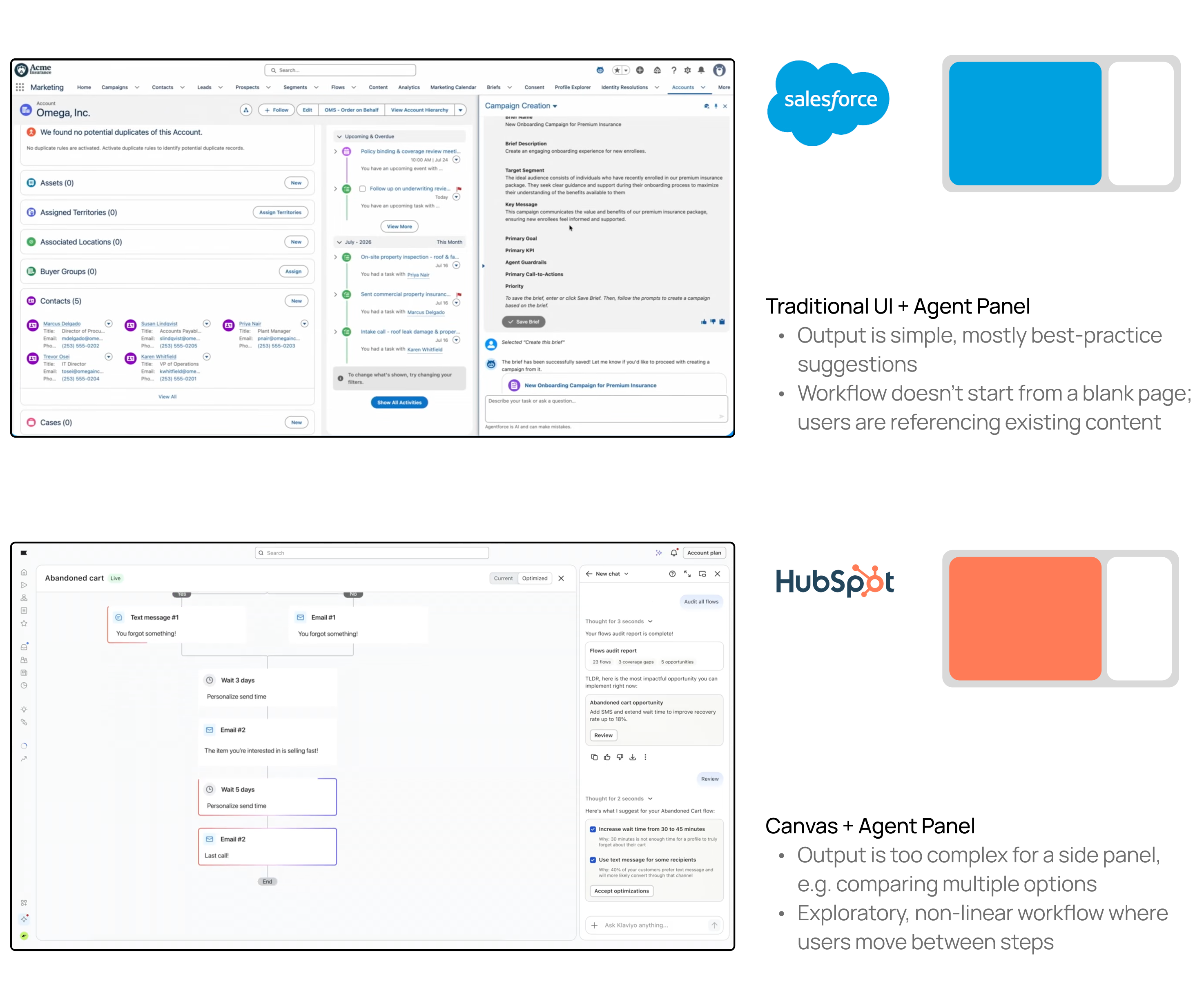
Creating an AI agent from 0 -> 1 involves multiple big decisions. I sneak peeked the competitors to move faster.
I researched the entry and layout of competitive products, and decided on going with the second pattern because the workflow requires larger space for complex output and users want to track their progress.

Design Solution
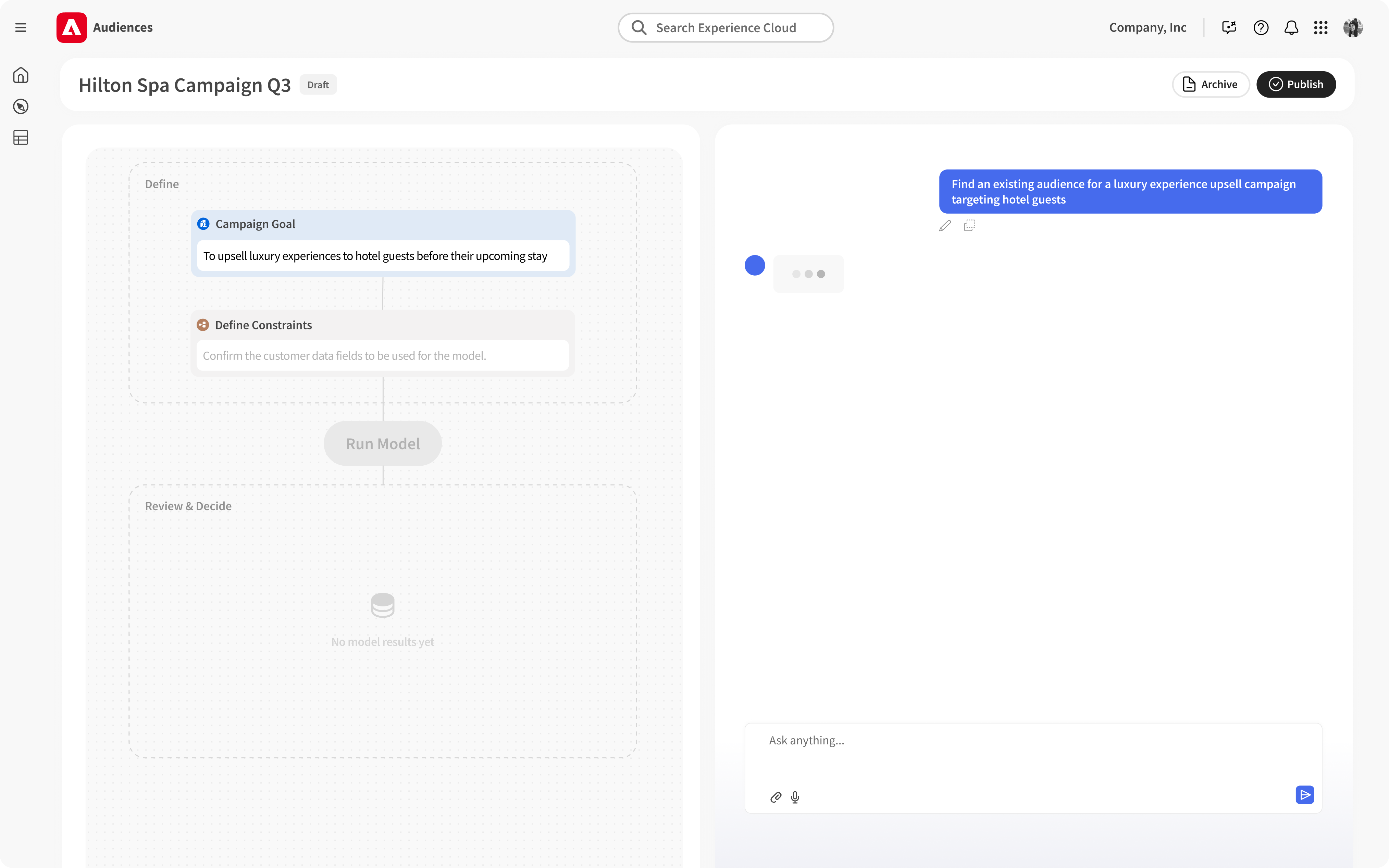
Chat + templated canvas: talk, track and predict
With this design pattern of a chatbox and a canvas, I brainstormed with my two fellow designers and finally decided on a templated canvas where users can see what's going to happen upon landing on this agent page, which helps address a common fear of "jumping into a rabbit hole" among our time-strapped marketers.
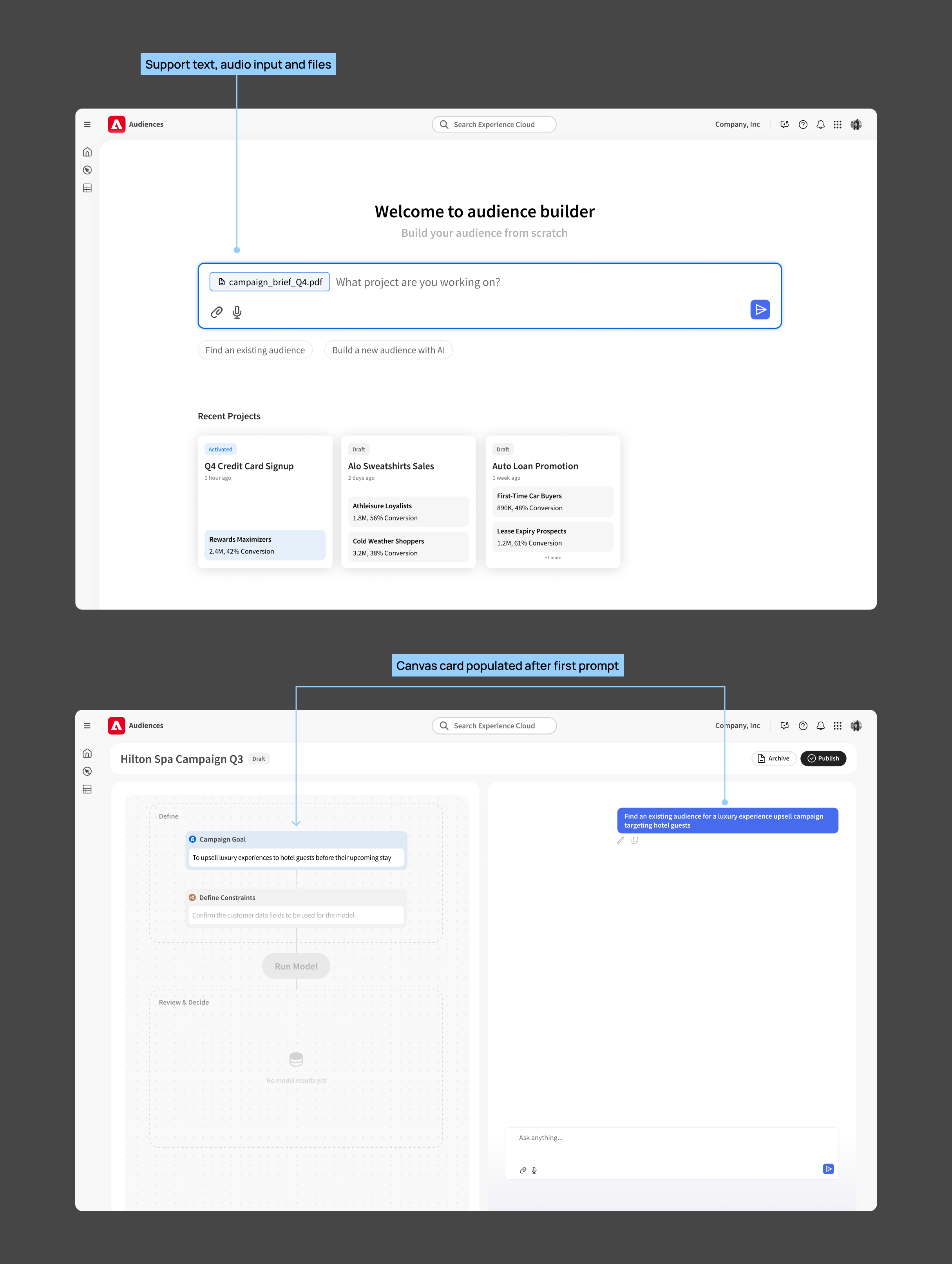
Entry Point
The workflow starts with an overview of the campaign or a PRD file. Users can view the AI's interpretation of their input on the canvas and correct it if there's any gap.
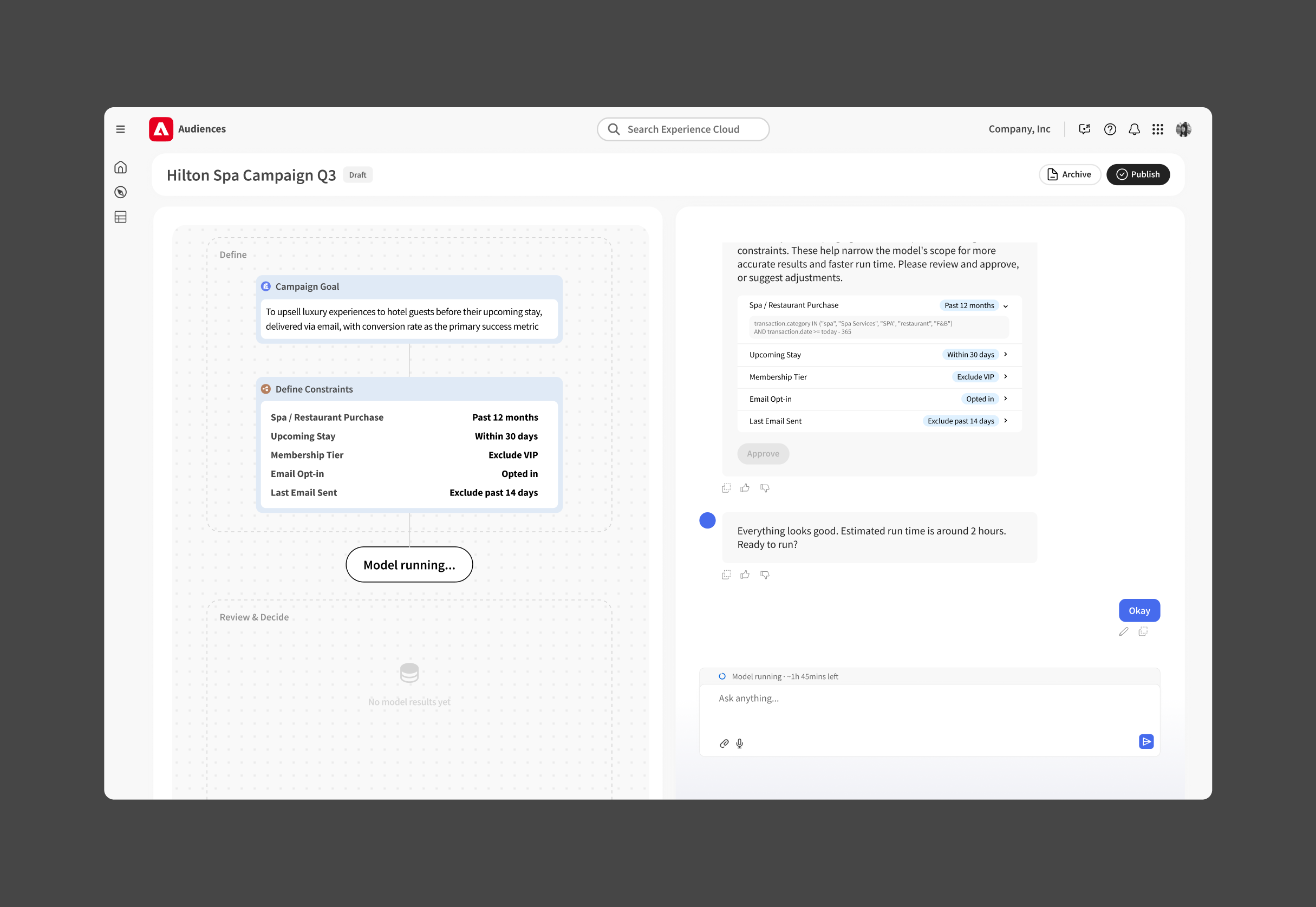
Confirm generated data fields and run the model
From manually inputting those data fields to simply reviewing and revising them, users save much time in preparation for running the data model.
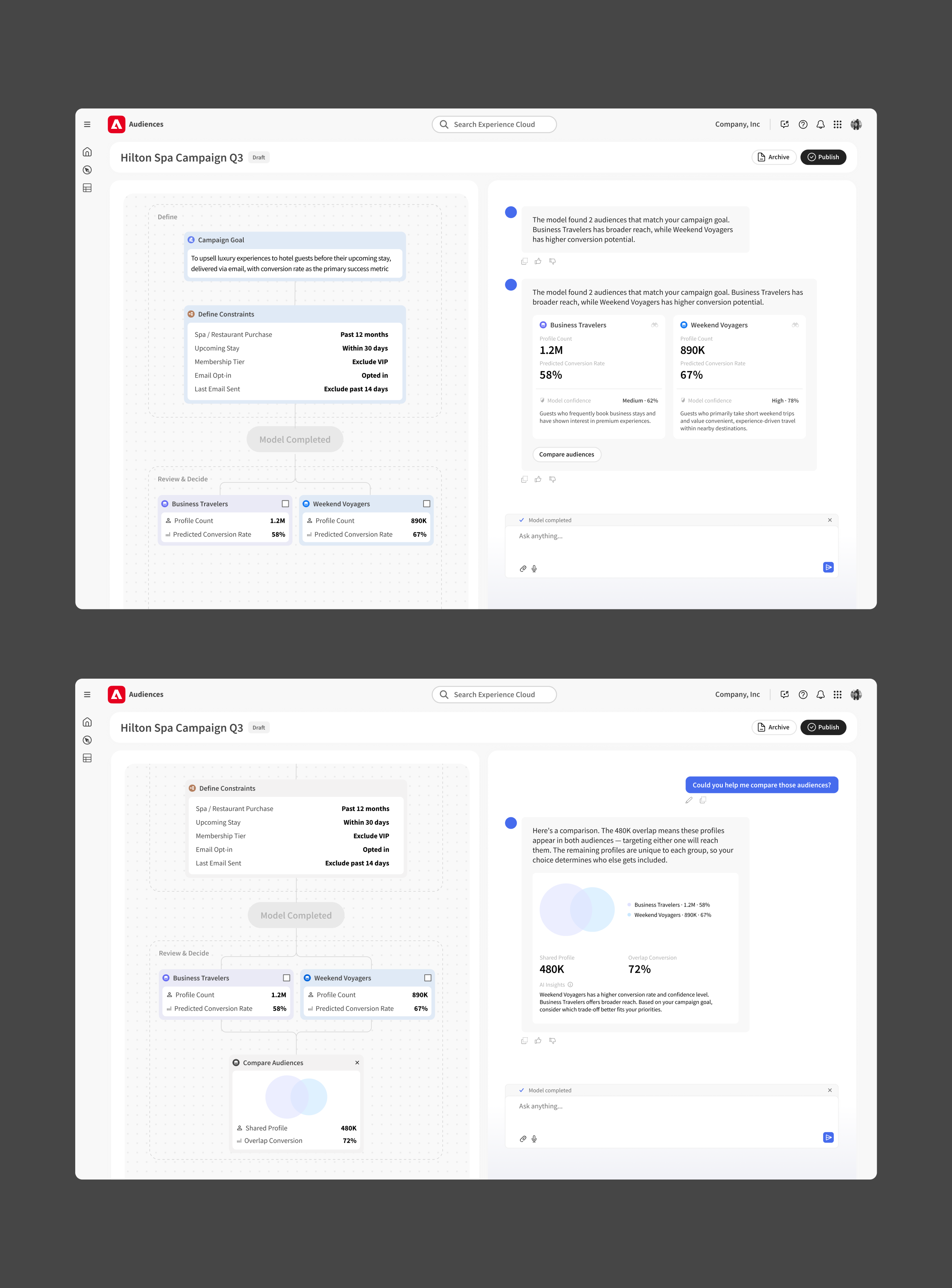
Review and compare model results
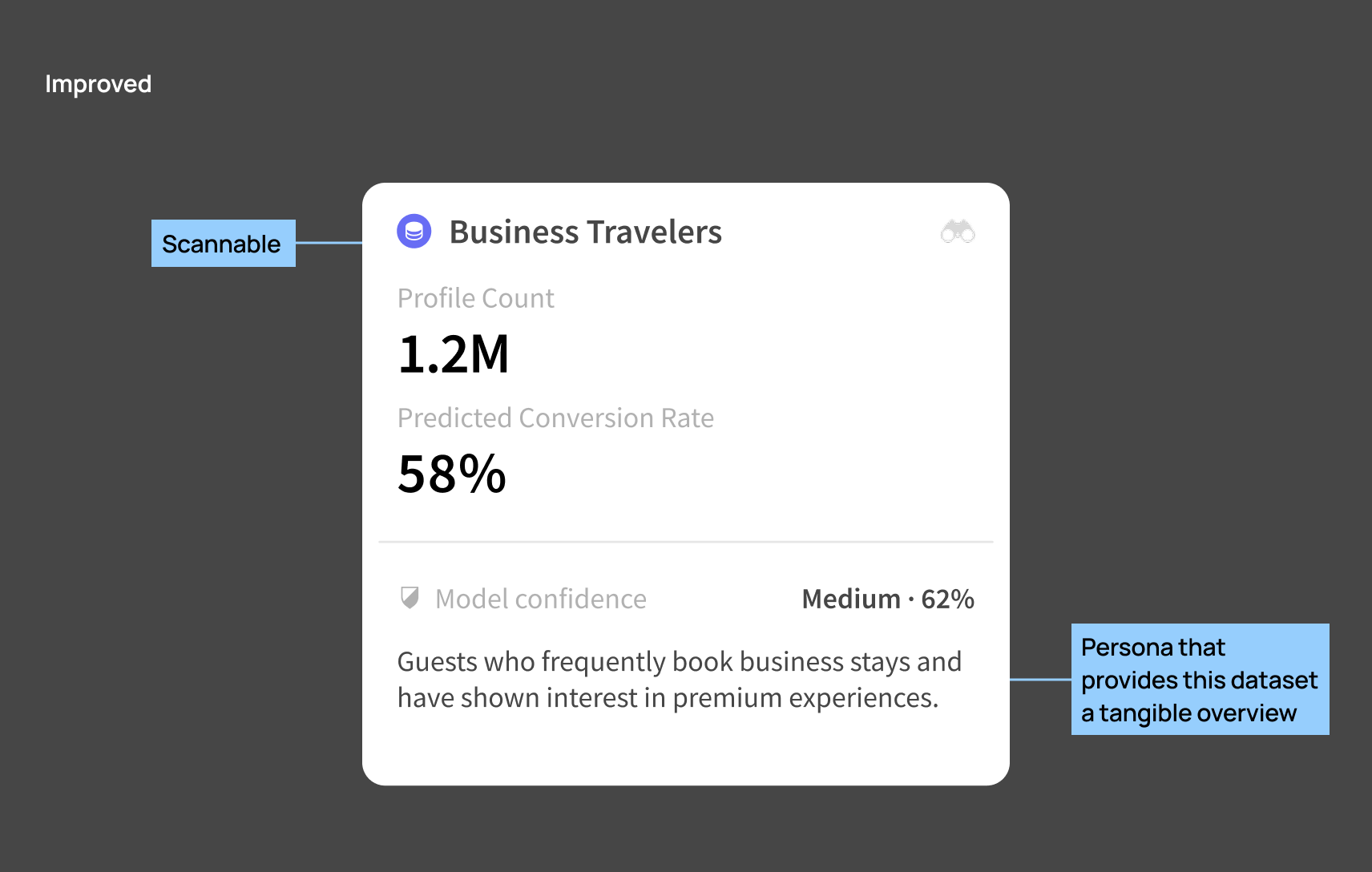
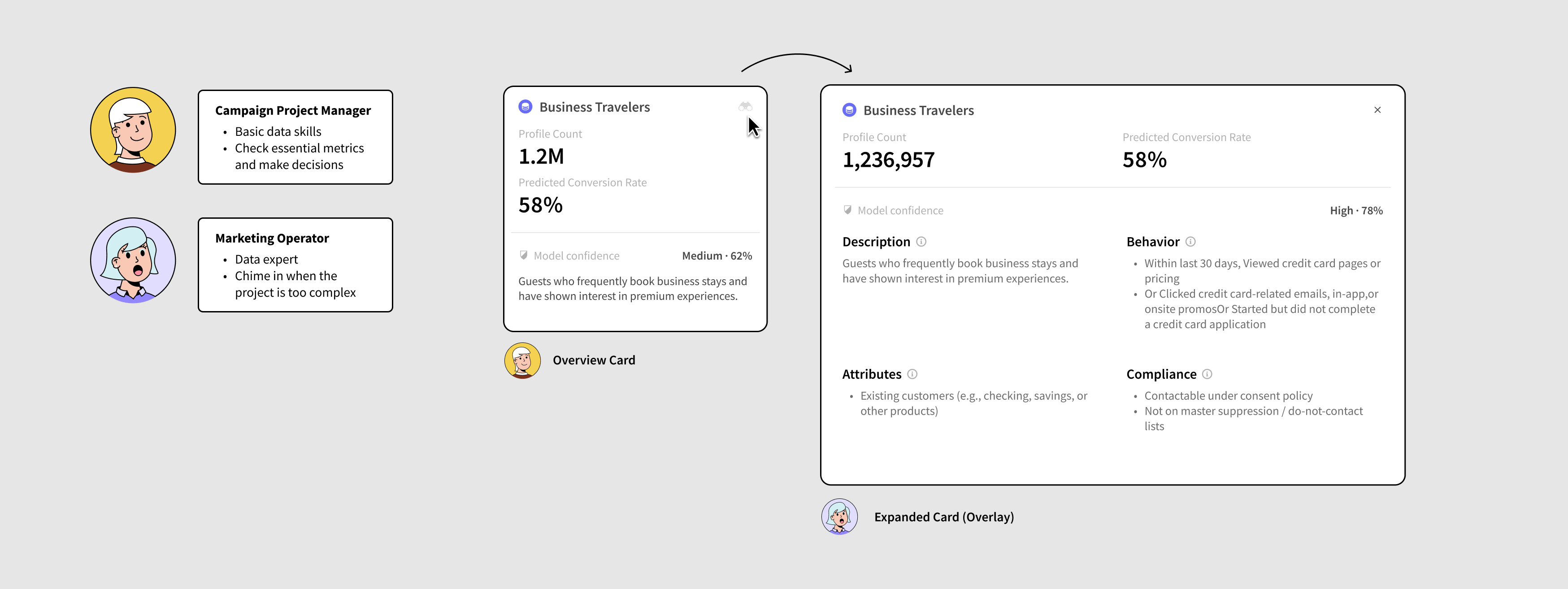
The in-conversation visualization card helps users understand model results and make decisions. Users can leverage the canvas to track their thinking process.
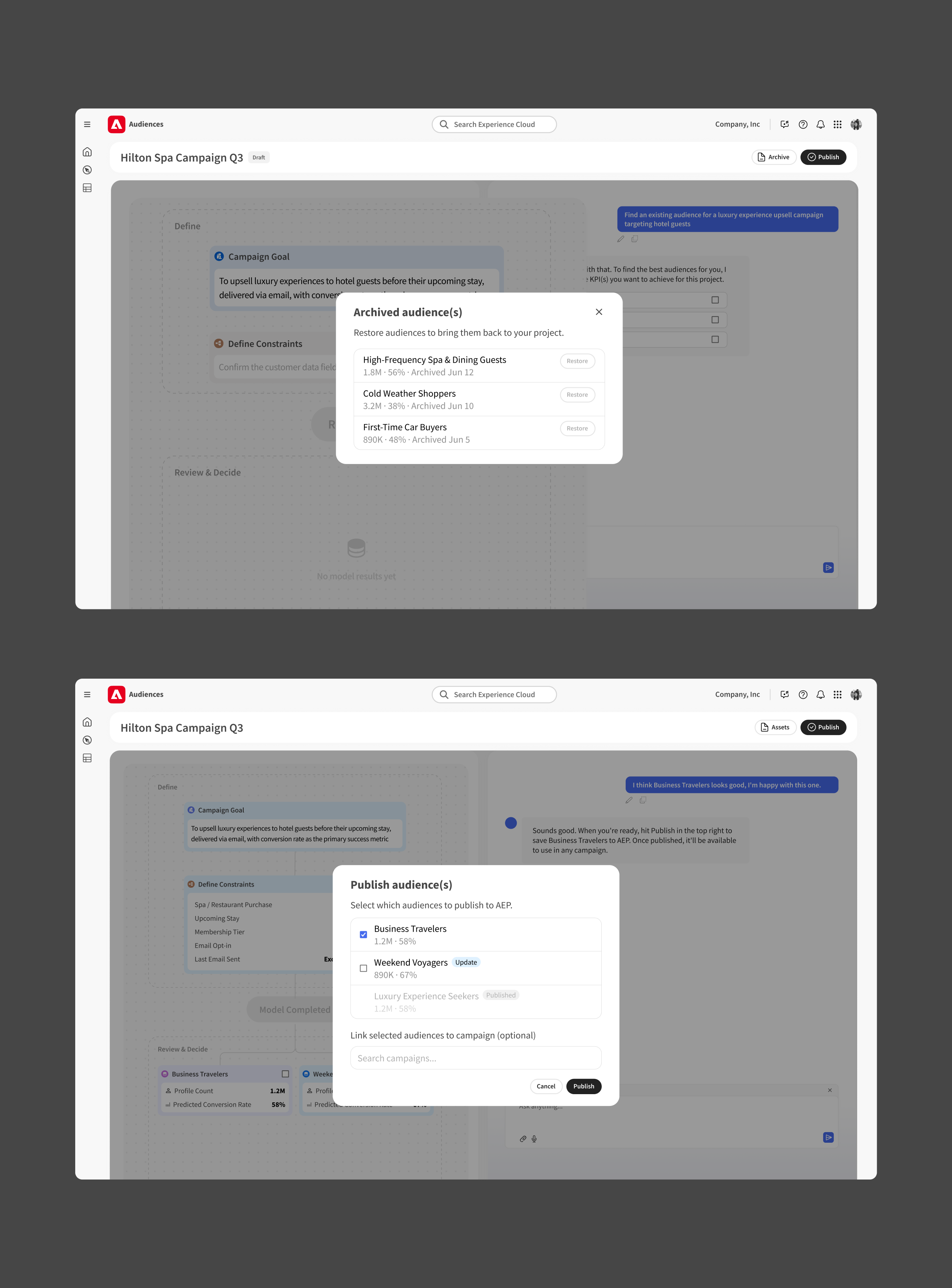
Finally, decide and publish
Users can archive any audiences they don't like to reduce cognitive workload. Once everything's locked, users hit the primary CTA on the top right to move forward.
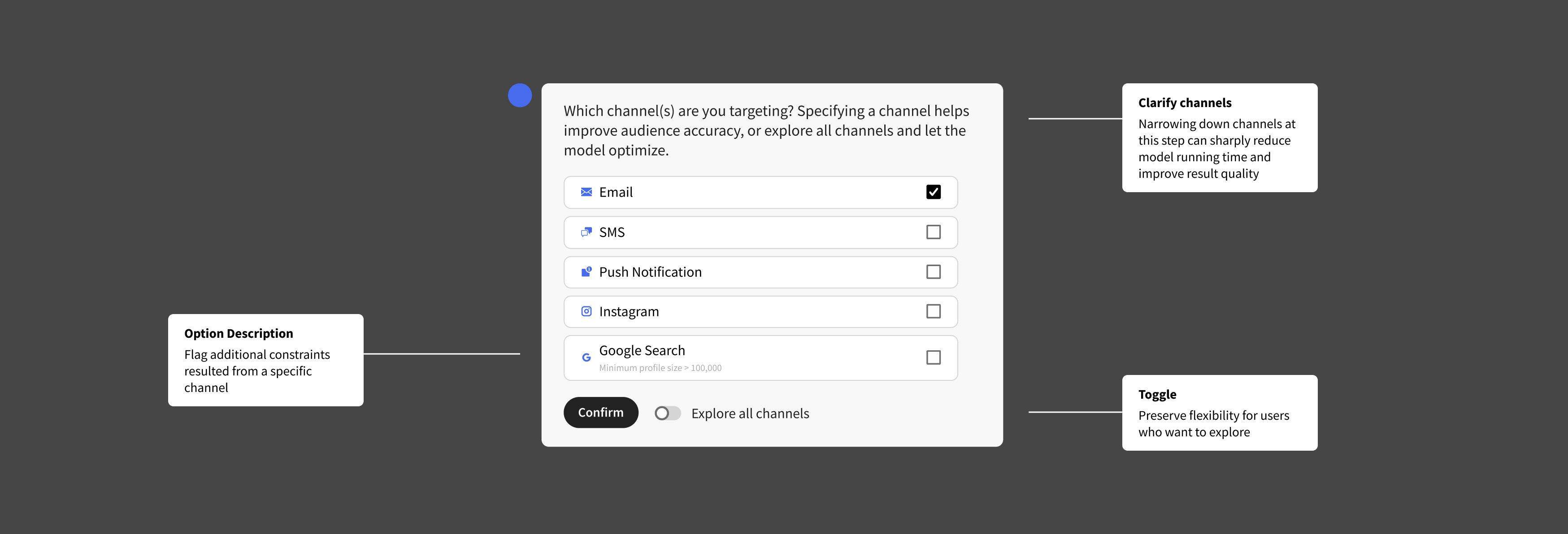
Design Decisions
Input phase: use clarification questions for ambiguous input
I collaborated with our Adobe AI Engineer to determine what information is essential for the data model to generate reliable results and avoid a "rubbish in, rubbish out" experience.
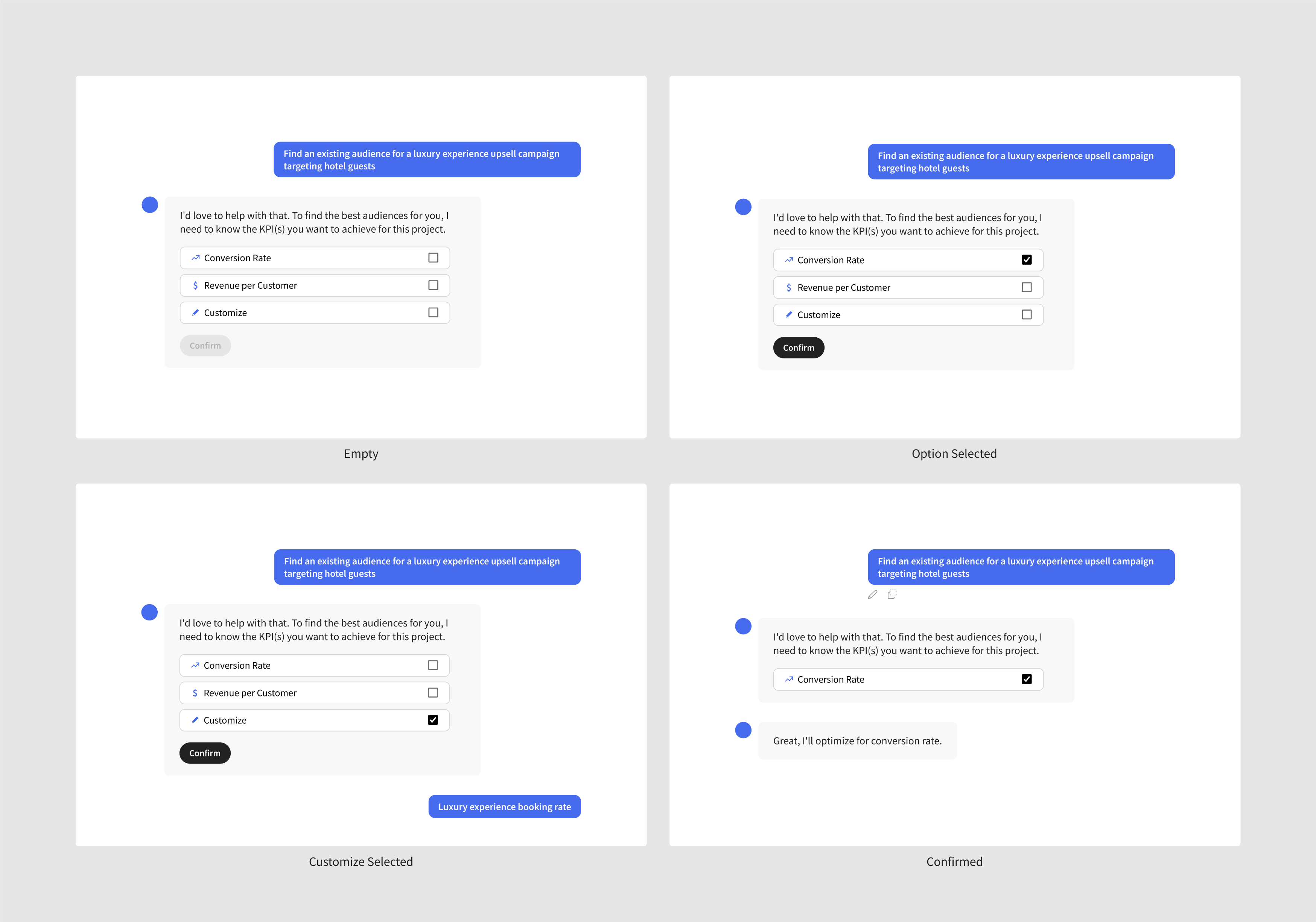
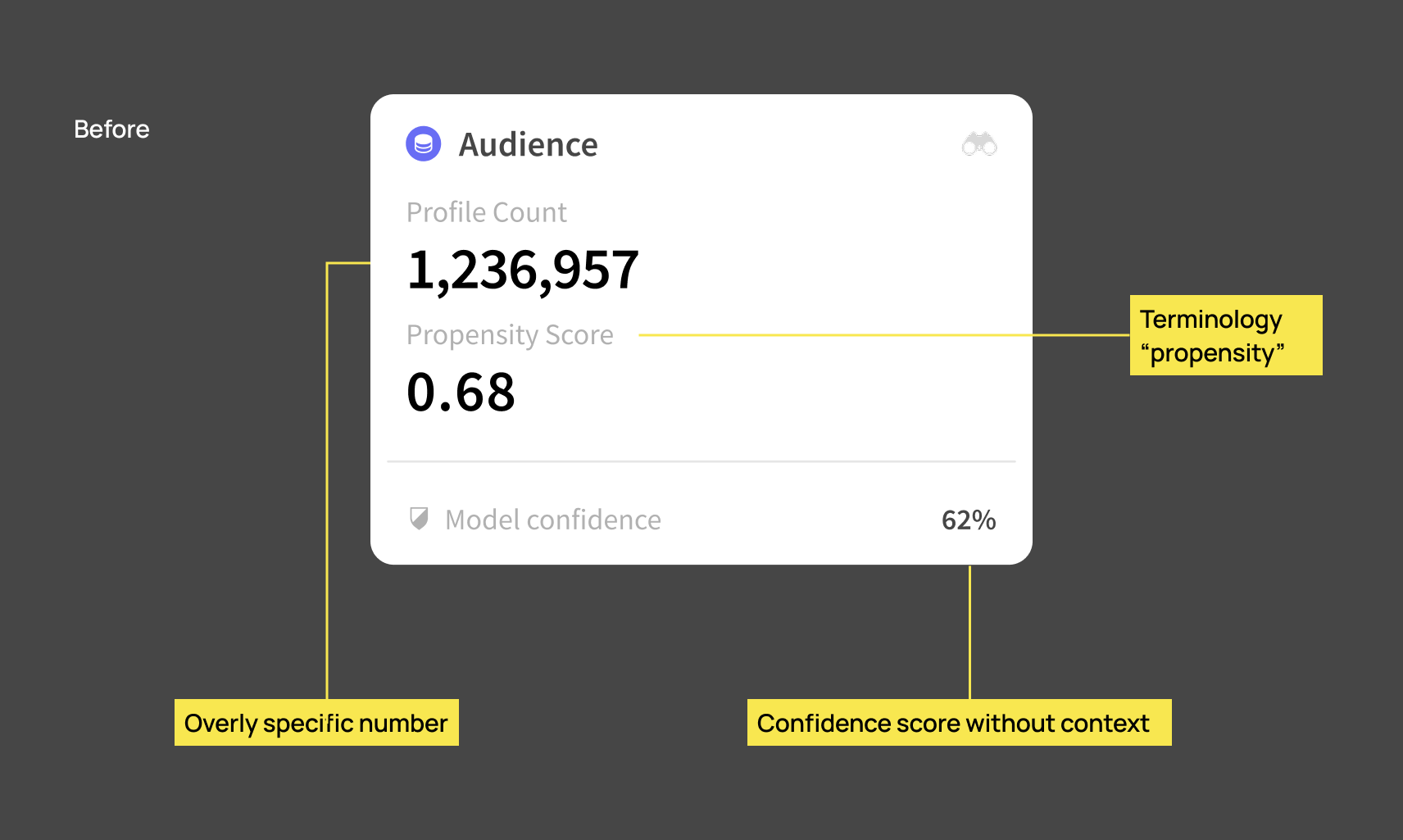
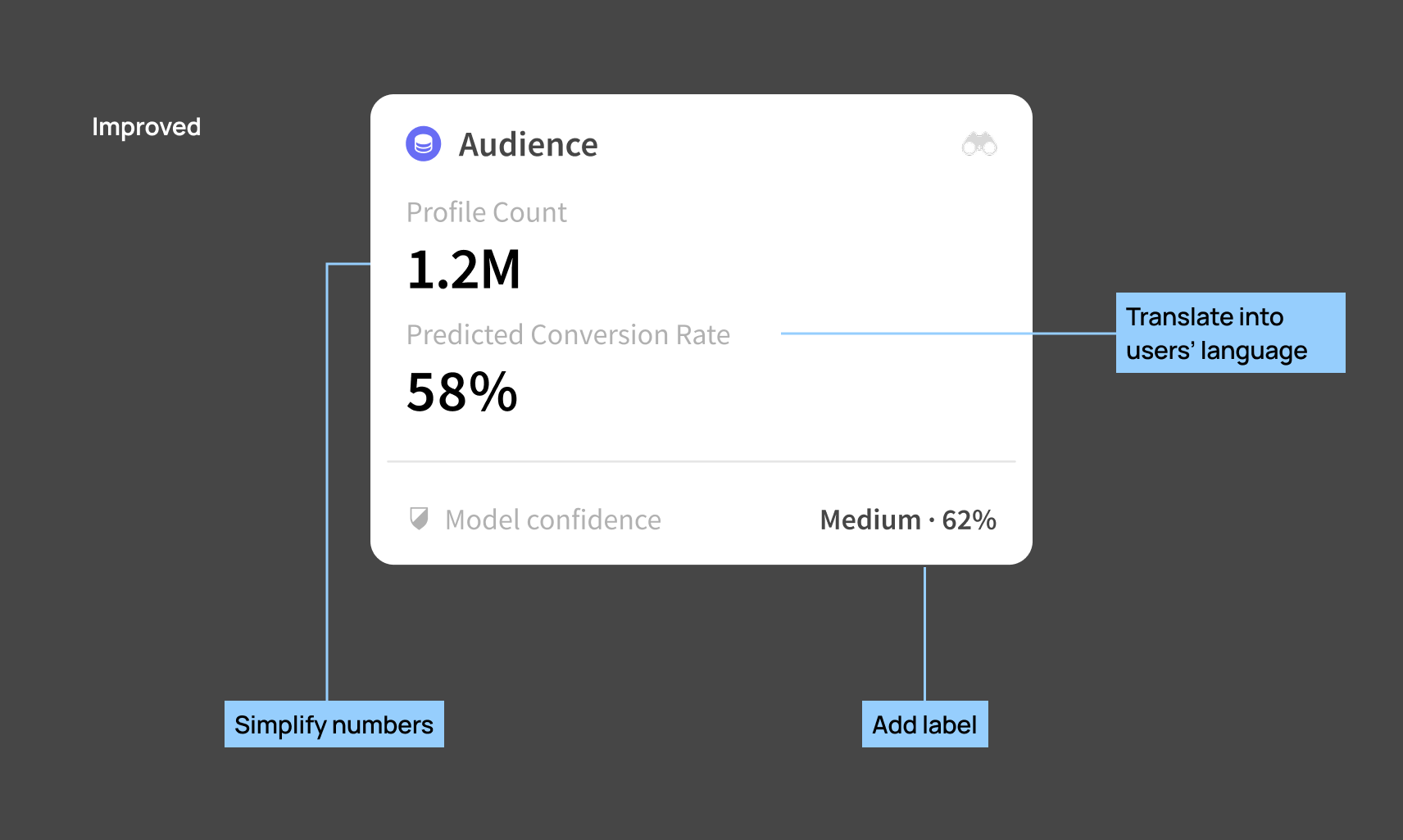
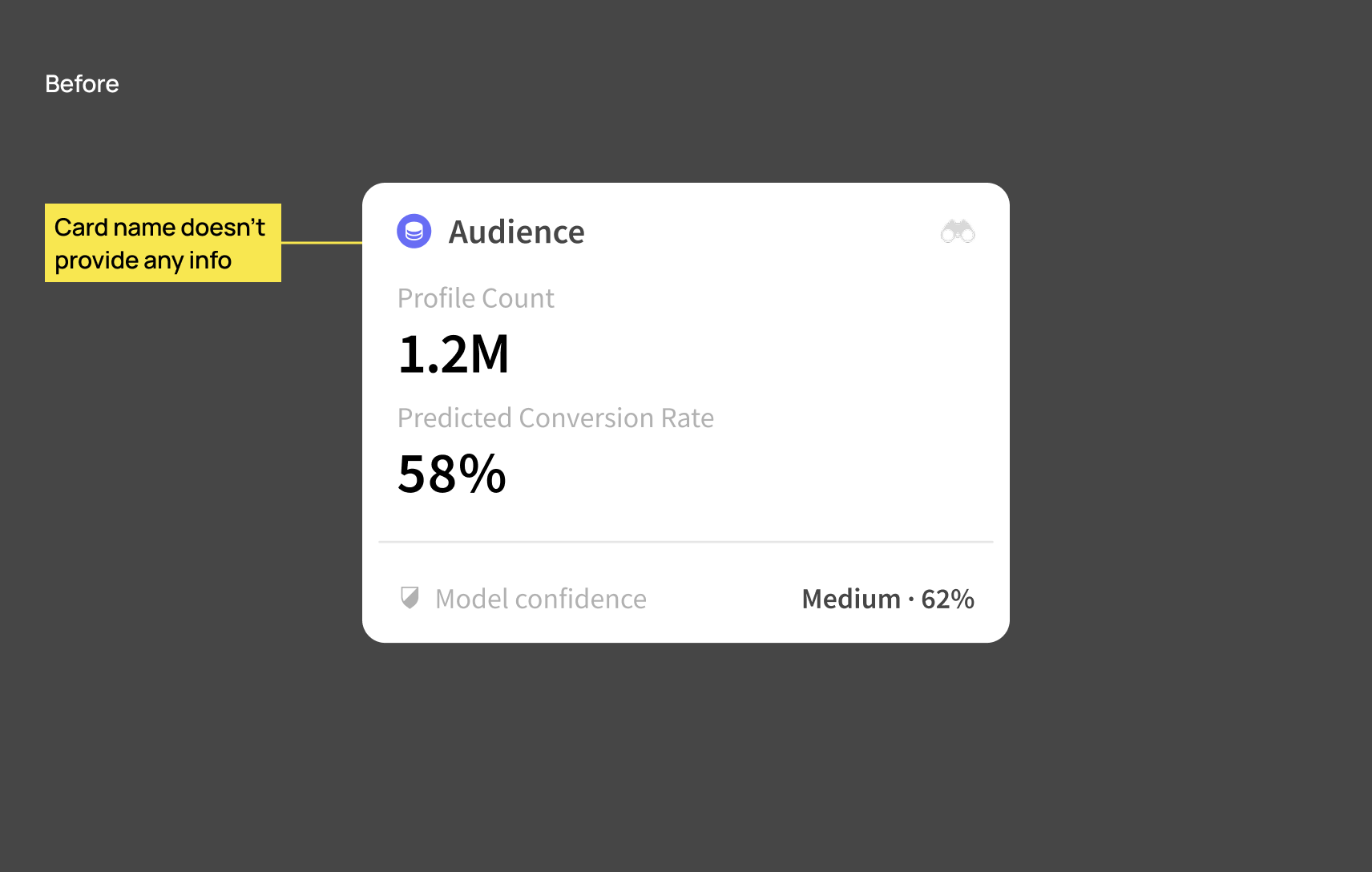
Output phase: progressive disclosure of model results
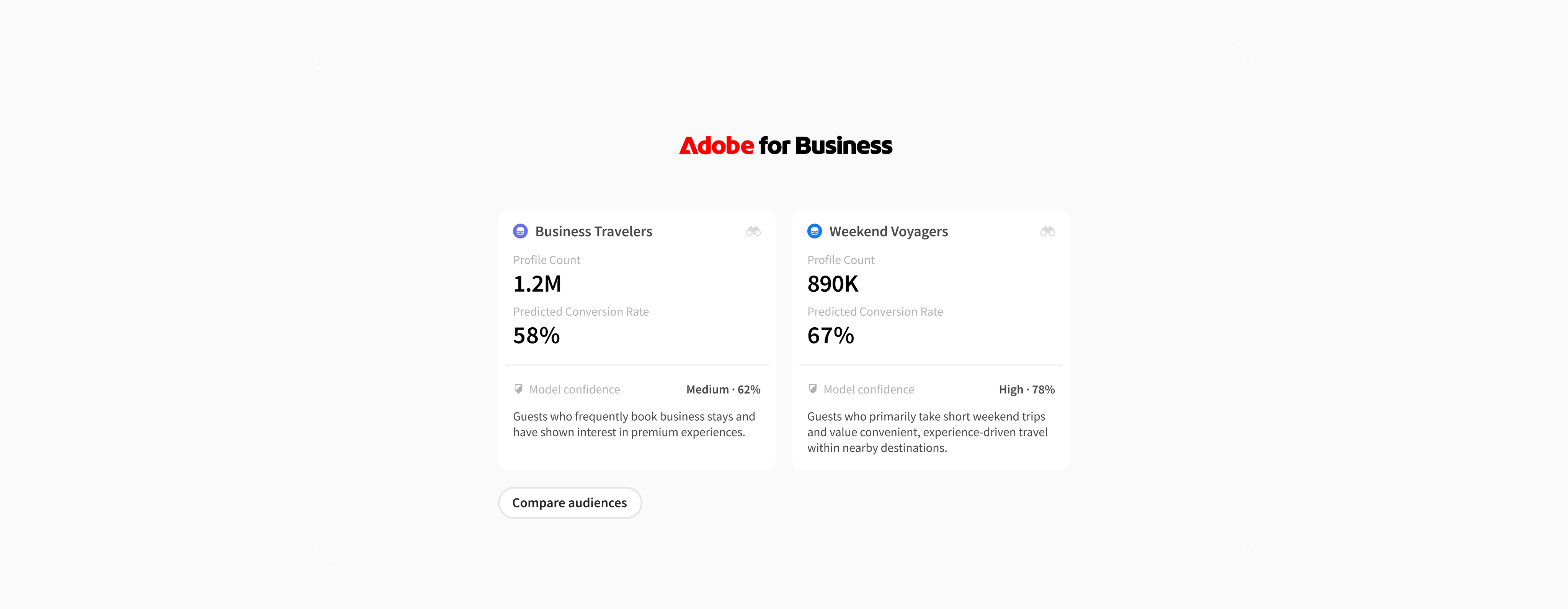
Raw results from the data model are confusing, but they don't have to be. I categorized the numbers and translated them into a format that can be easily comprehended.
Design Handoff
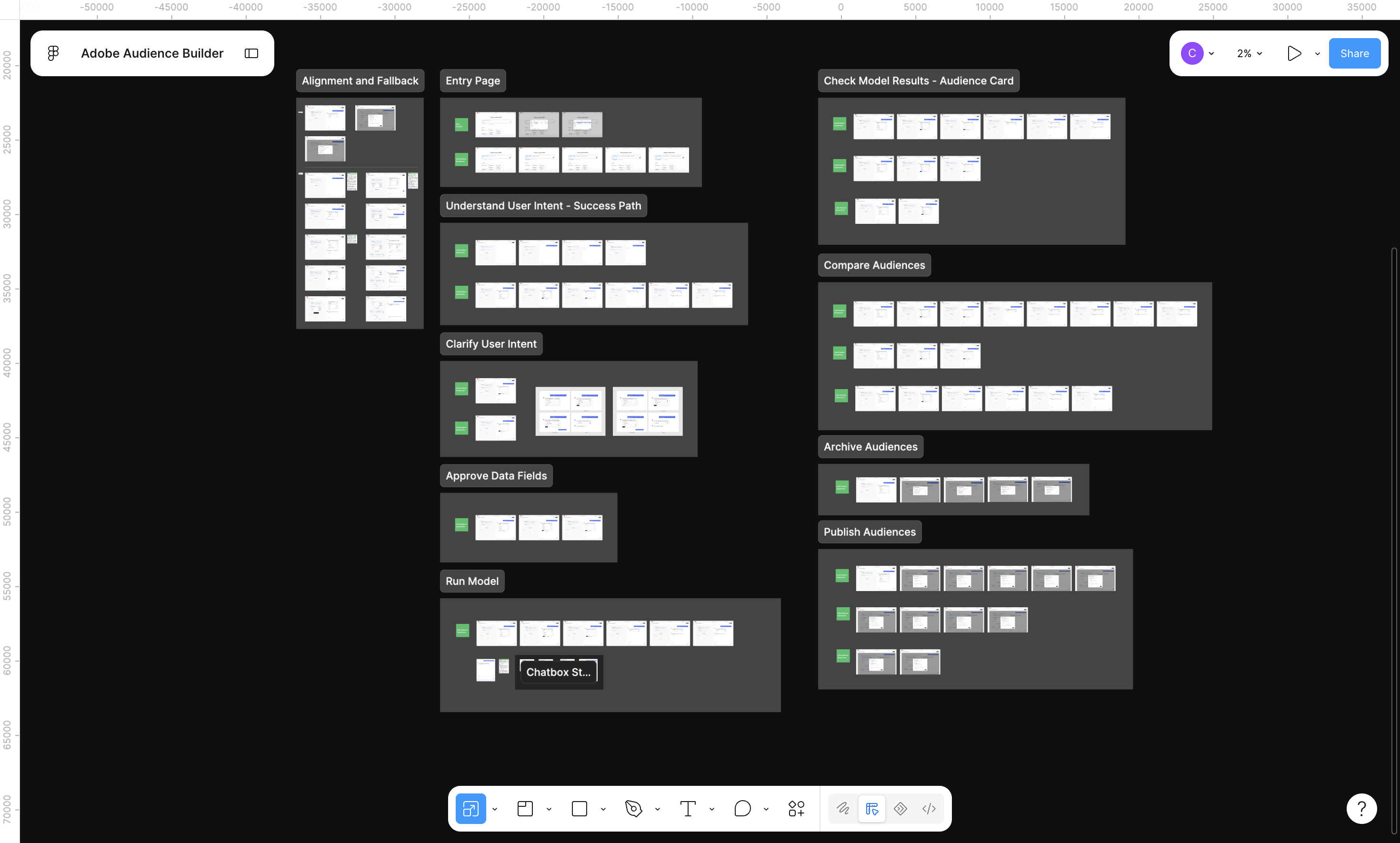
Design file organized by workflows, plus a Loom video
Like most designers, my own design file is, of course, a collage of all the iterations and discarded ideas. But I always tidy up the work that's ready to ship into a separate file for developers, for clarity. And I always find that attaching an async video first saves a lot of meeting time.

Contribute to the Adobe Spectrum design system
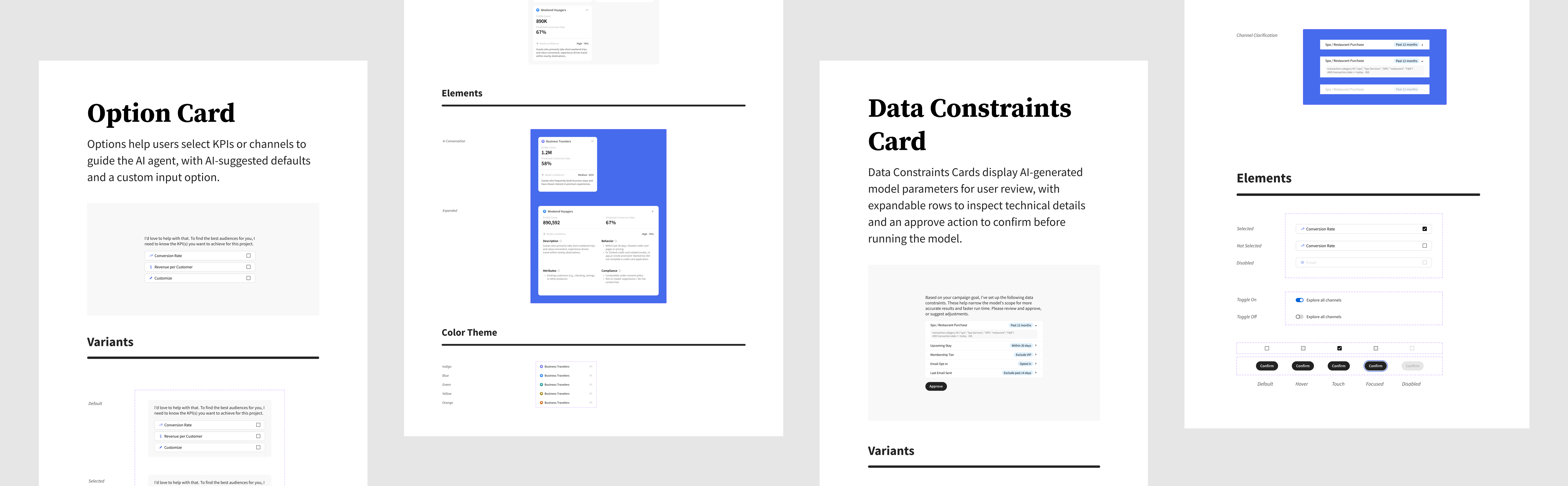
All UI is designed with Adobe Spectrum's tokens, including color, typography, spacing, and grid. For new UI elements I created for this project, I built them as reusable components and templates for scalability.
Take Away

Sixian Chen · 1st
Product Designer | AI UX, B2B, Internal Tools, Complex Systems | MS HCI/d at Indiana University


Next Project
Enable grocery associates to resolve customer issues on-site @Kroger